

Primary Features

FIND STUD CENTER
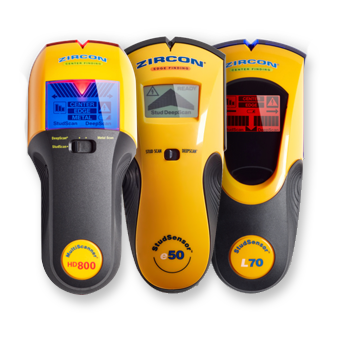
CenterVision® technology is the most exciting innovation to hit stud finding since Zircon introduced the original electronic stud finder back in 1980. Instead of the dual-scan-and-mark procedure, users need only make one pass to find dead-center every time. CenterVision® tools will even find the center of a double stud, although it will display a wide “center” zone.
CenterVision® technology takes out guesswork of locating the best place to anchor into a stud.

FIND STUD EDGES
Stud finders work by measuring density. Your wallboard is one density; when the stud finder registers a higher density as you slide the tool along the wall, it probably means you’ve reached the edge of a stud. To find the center of the stud, you must find both edges first

Dual Scan and Mark Procedure
To ensure you find the center of a stud, scan across the wall in both directions and mark each edge. The center of the stud will be halfway between your two marks.

TARGET CONTROL® (TC™) TECHNOLOGY
Target Control® (TC™) Technology, available on SuperScan® advanced wall scanners, is tuned to find wood studs while filtering out metallic false positive objects such as plumbing, conduit, straps, brackets, or ducts beneath surfaces. With TC™ mode, users can utilize the “Trust but Verify” technique to identify “safe-to-drill” zones between adjacent drywall screws, nails, and protector plates.
FIND WOOD OR METAL STUDS
Most residential construction uses wood studs, while metal studs are used for interior walls in most commercial construction. Zircon® edge finders and center finders can find the studs no matter what they’re made of. All Zircon® StudSensor™ tools find both wood and metal studs.

DEEPSCAN® – SCAN THICK WALLS FOR STUDS

Because of extra layers of wallboard or paneling, the studs could be too deep to be found by standard scanning. Tools with Zircon’s DeepScan® feature can be switched to a higher strength to detect studs and joists up to 1 1/2 inches deep. This extra power shouldn’t be used unless necessary, because on normal walls it is oversensitive and results in too many false positives.

WIREWARNING® DETECTION
Tools with the WireWarning® detection feature continuously detect hot electrical wires (unshielded) up to 2 inches deep while you are scanning for studs or metal. The WireWarning® detection is always on, in all modes (except the dedicated AC Scan mode), to alert you to the presence of hot, unshielded AC wires behind the wall.

SCAN FOR ELECTRICAL
This AC Scan mode in Zircon® MultiScanner® products lets you search for hot AC voltage (unshielded by metal). Use this feature to find and trace wires. You can use you tool’s interactive calibration feature to get the most accurate results.

SCAN FOR METAL
Zircon® MultiScanner® stud finders with Metal Scan mode detect ferrous metal, such as rebar, up to 3 inches deep and non-ferrous metal, such as copper, up to 1 1/2 inches deep. Use the Interactive Calibration process to narrow and map metal.

SCAN FOR METAL IN CONCRETE
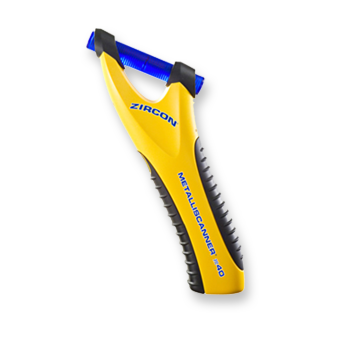
Our advanced metal scanning tools have the ability to detect rebar and metal cables within concrete. This includes our MetalliScanner® MT X, MetalliScanner® MT 7, and MetalliScanner® MT 6.

DRILL GUIDE
This simple, yet effective, feature saves time and money by reducing guesswork, rework, and unnecessary holes. Ideal for cable and wire installations, concrete scanning, and anytime through-hole drilling is required.

WATER DETECTION
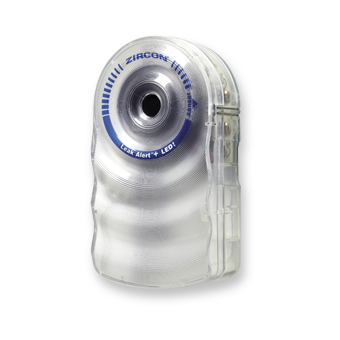
Water triggers our devices equipped with water detection devices to alert users of flooding, allowing for early mitigation.

WATER LEVELING
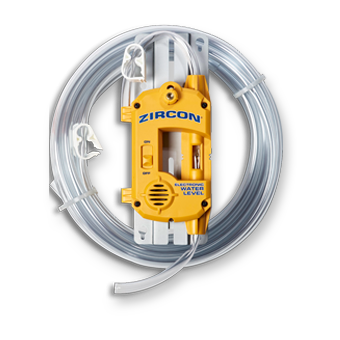
We updated traditional water levels with modern electronics to ensure a new grade of accuracy. The WL25 water level streamlines difficult layout tasks into simple one-man operations.

BREAKER IDENTIFICATION
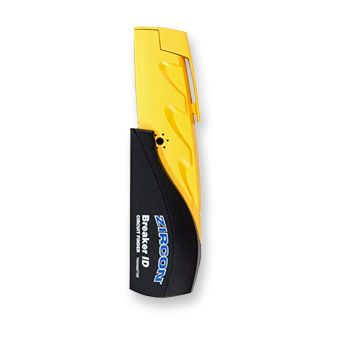
The Breaker ID has two parts: a Transmitter that plugs into a circuit via a standard outlet, and sends a signal down the wire connecting that circuit, and a Receiver wand which is used to scan the circuit breaker panel.
Simply plug the Transmitter into an electrical outlet and then scan your circuit breaker panel twice to identify which breaker operates that outlet. During the first scan, the Breaker ID may indicate more than one breaker as it memorizes each circuit. On the second scan, the Breaker ID will identify the correct circuit breaker with a green LED light and audio tone.

LOLEVEL™ INDICATOR
In SuperScan™ advanced wall scanners with Target Control™ (TC™) mode, the LoLevel™ Indicator indicates low (weak) signal objects, such as plastic water pipes, plastic sewer drains, or studs deeper than ¾” (19 mm). When compared to stud signals, the LoLevel™ Indicator may help differentiate studs from false positive stud indications.

METALLIWARNING™ INDICATOR
MetalliWarning™ Indicator will display when metal is detected or dangerously close in TC™, StudScan, and DeepScan® modes.

ERASABLE MARKER
An integrated erasable marker makes it easy to mark the spot for anchoring without removing the tool from the wall. The marker is activated by a manual push button and can be used at any time. It does not mark the wall automatically.

LCD DISPLAY
Detailed interface with wide-angle viewing to allow for an easy-to-read indication of when a stud edge is approached.

COLORTRIP® DISPLAY
The ColorTrip® display indicates the direction and edge of the stud and notifies you when the center of the stud is detected.

LOW BATTERY INDICATOR
The Zircon Low Battery Indicator ensures you know when your device power is low so you can keep batteries fresh for optimum performance.

SCAN FOR THERMAL
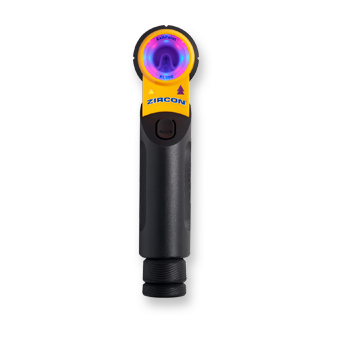
Thermal detection works by scanning for elevated temperature readings above the heat source. This mode allows you to detect actively powered hydronic radiant heating to scan for Pex Tubing before you drill, cut, or fasten.
AUDIO INDICATOR
Many of our products include an audio indicator as a complement to an LED or LCD display. This additional alert helps you get the job done faster. The device will give a steady tone when you find a stud (or other targeted material). Continuous beeping indicates a calibration error – move the tool to a new location and start scanning again.

AUTO CORRECTING TECHNOLOGY (ACT™ )
Checks calibration 10 times per second and recalibrates for the user when needed. If scanning happens to begin over a stud, the tool corrects itself and can find that stud when the user scans back over it. Some models will point an arrow back to the stud where scanning started.
OVER-THE-STUD WARNING
Calibrating an electronic stud finder over a stud used to cause a problem that would lead to inaccurate results. In an effort to make our products as hassle-free as possible, we took that worry away.
Our StudSensor™ and MultiScanner® products are smart enough to know when something isn’t quite right. If you happen to start scanning over a stud and then move away from it, the tool will beep and blink continuously. This indicates a calibration error. Simply move the tool a few inches to the left or right and try again.
SIGNAL STRENGTH INDICATOR
Whether you’re looking for a stud, a wire, or a pipe, there are plenty of other things behind the wall that all have the potential to give the most sensitive Zircon® devices a false reading. To help the user filter out the target from potential decoys, the Signal Strength Indicator gives a reading of the strength, or the certainty, of the returning signal from the wall. Three bars (the highest level) indicates an obvious result behind a normal wall, while two bars (or below) indicates that while the device has found something, it may either be a smaller object than your target, or the target is behind an extra thick wall. Since every wall is built differently, and since any wall can have pipes, wires, or other objects behind it that can return a result, you can use the Signal Strength indicator to “map out” your wall to determine the target from the other objects.

SPOTLITE® POINTING SYSTEM
This revolutionary feature projects a beam of light on the scanning surface when the target is located, adding an additional indicator to help you quickly zero in on the target in any scanning task. With the SpotLite® Pointing System, you not only see the target at the scan point, but you can also visualize how the stud edge continues up the wall.
TRUCAL® INSTANT CALIBRATION

With Zircon’s patented TruCal® technology, you get instant and accurate one-touch calibration every time the tool is used, ensuring accuracy for each and every job. Simply place the tool on the wall, press the power button and wait for a single beep that indicates calibration is complete.
INTERACTIVE CALIBRATION FOR METAL AND AC
Interactive Calibration allows the user to locate metal or AC in any environment, and makes Zircon’s metal and AC abilities much more accurate than other brands.
When searching for metal objects or AC wiring, the target can be different sizes and varying distances behind the wall. This makes the target trickier to find than a standard stud. Interactive Calibration means you can start scanning at the highest sensitivity possible to locate tough-to-find objects, or customize the tool’s accuracy for easier targets.
We have a detailed guide on how to use Interactive Calibration for locating metal and AC with the highest degree of accuracy possible.
